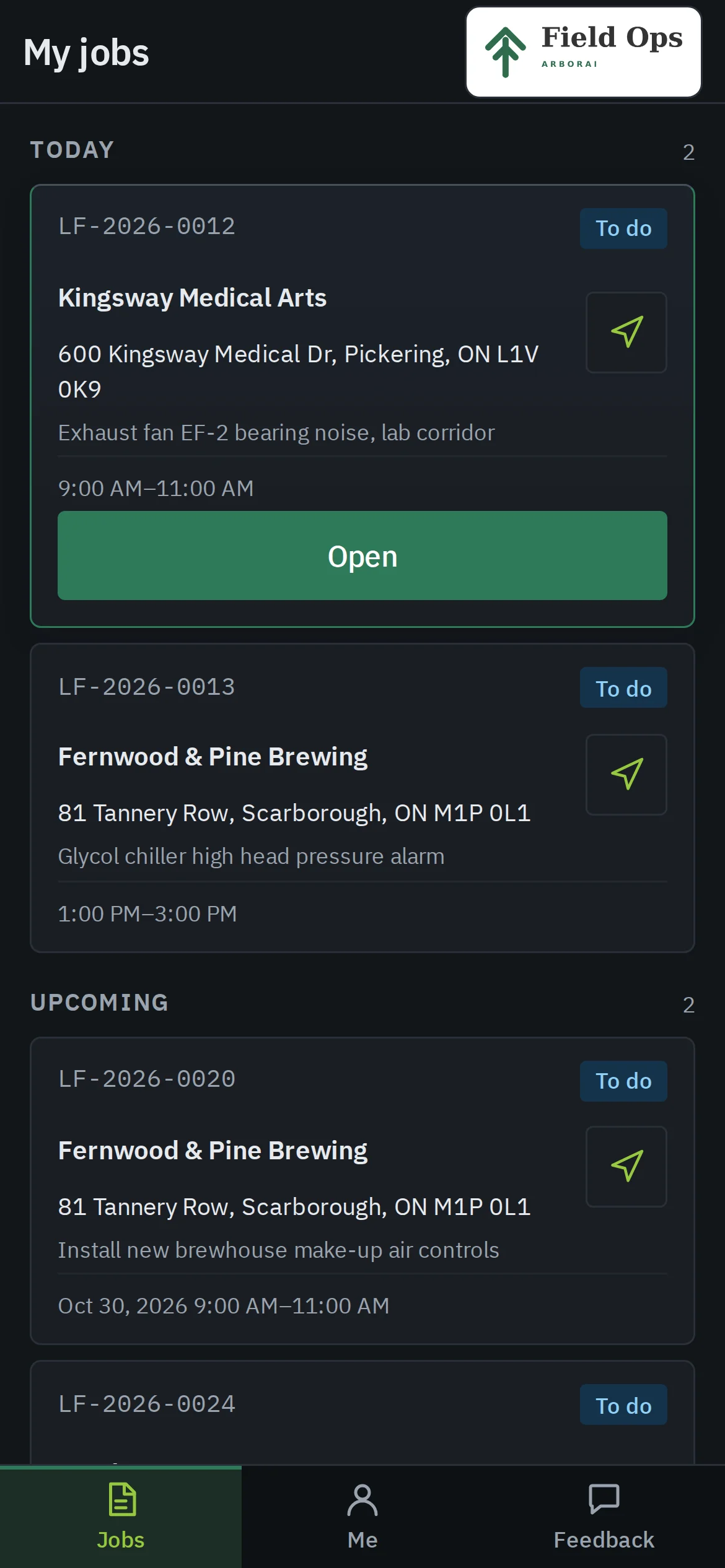
Dispatch board
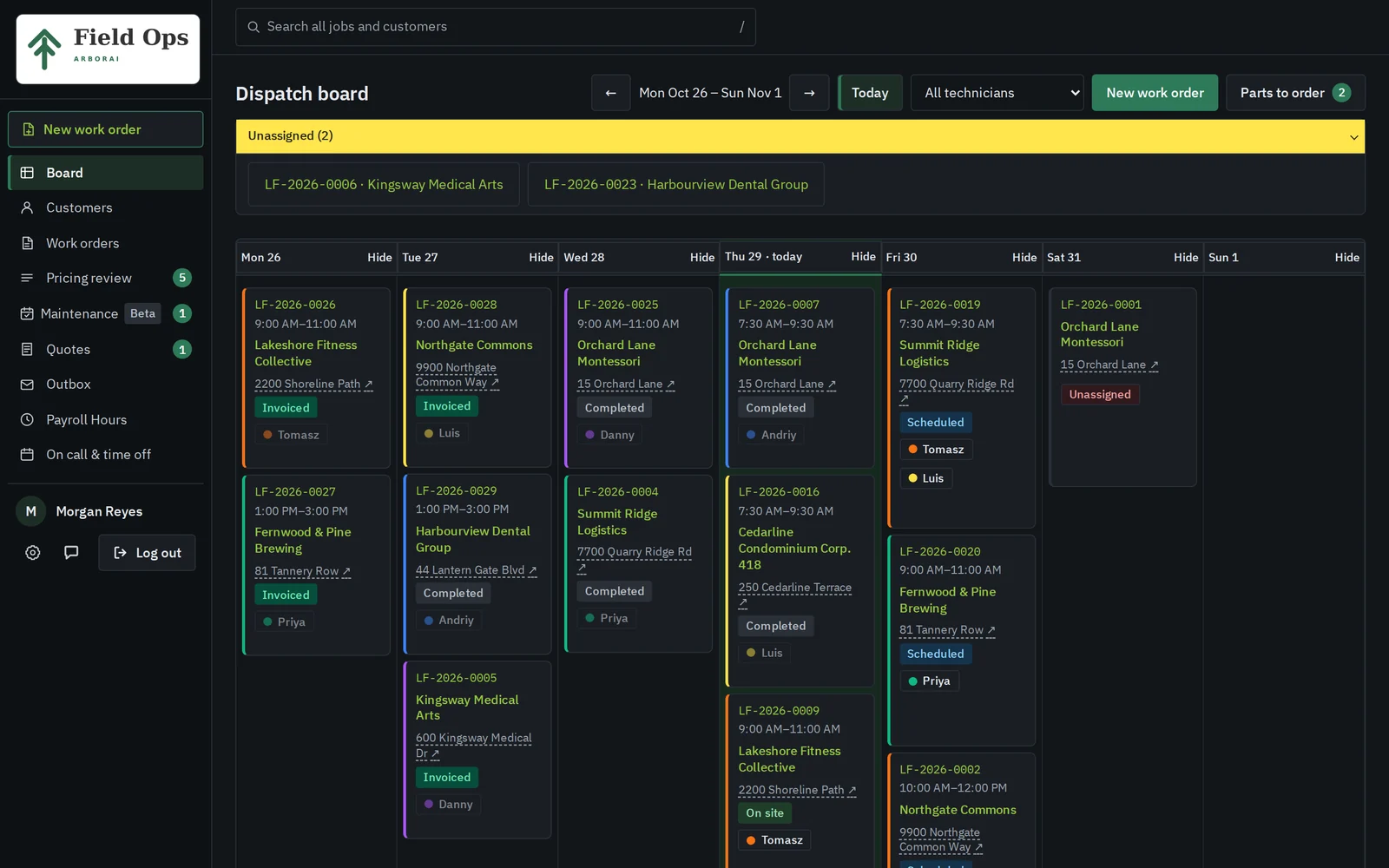
Every job and every tech for the week sits on one screen, colour-coded by tech. Move a job to another day or another tech, and print a day sheet when paper is easier.
ArborAI Field Ops
Field Ops handles scheduling, work orders, your techs' phones and invoices that land in QuickBooks Desktop. We set it up around your forms and your price book, and you go live in about four weeks.
$399 CAD a month for the whole shop. No onboarding fee.
Runs live at an HVAC and electrical contractor in the GTA.
How a job moves
The office books the job once, the tech closes it on site, and the office checks the price before QuickBooks sees it. Nobody retypes anything along the way.
01
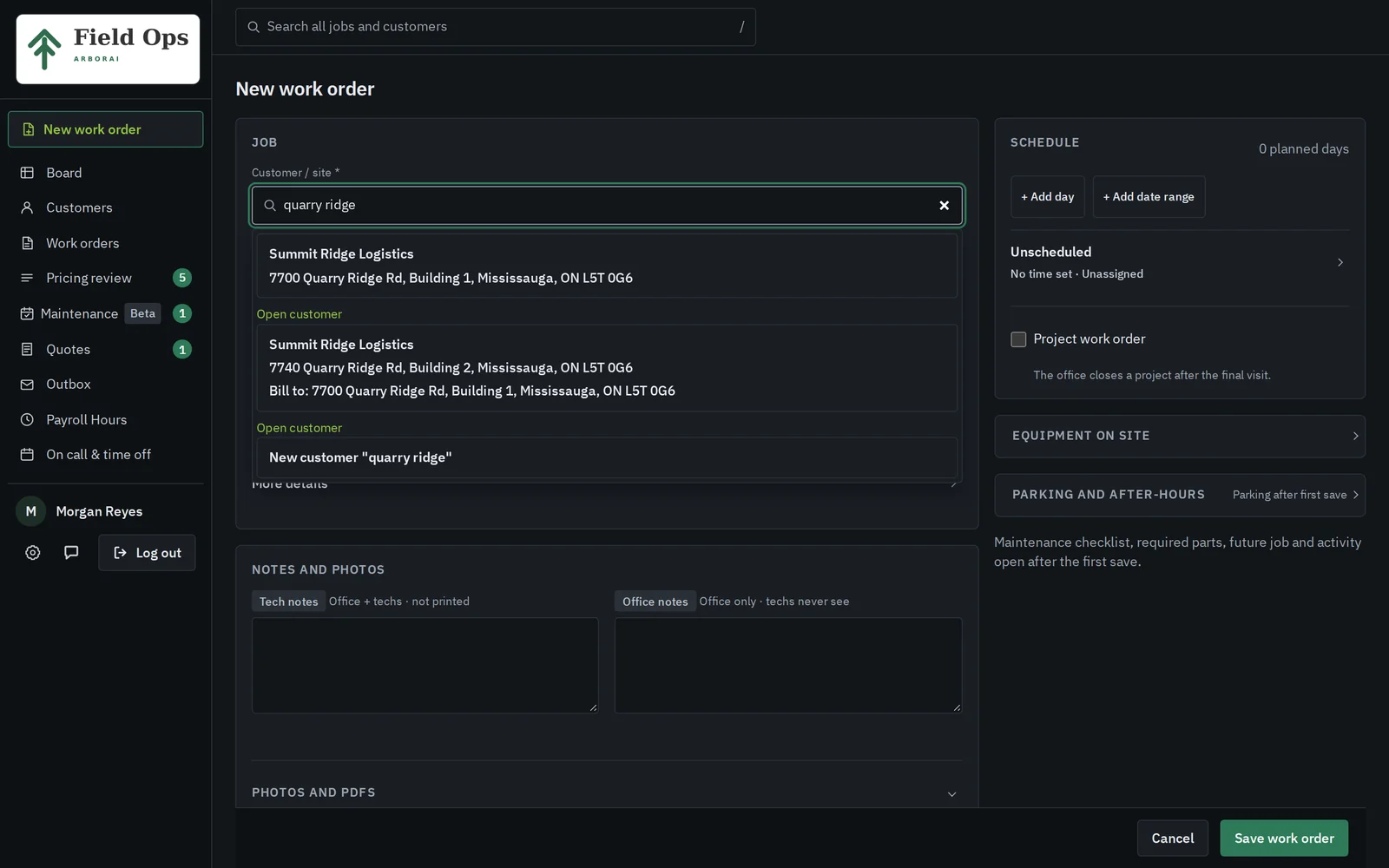
Type part of the address, pick the site and describe the problem. The job number is ready before you hang up.
02
Give it a day, a window and a tech. The app warns you before you double-book anyone, and the job shows up on the tech's phone.
03
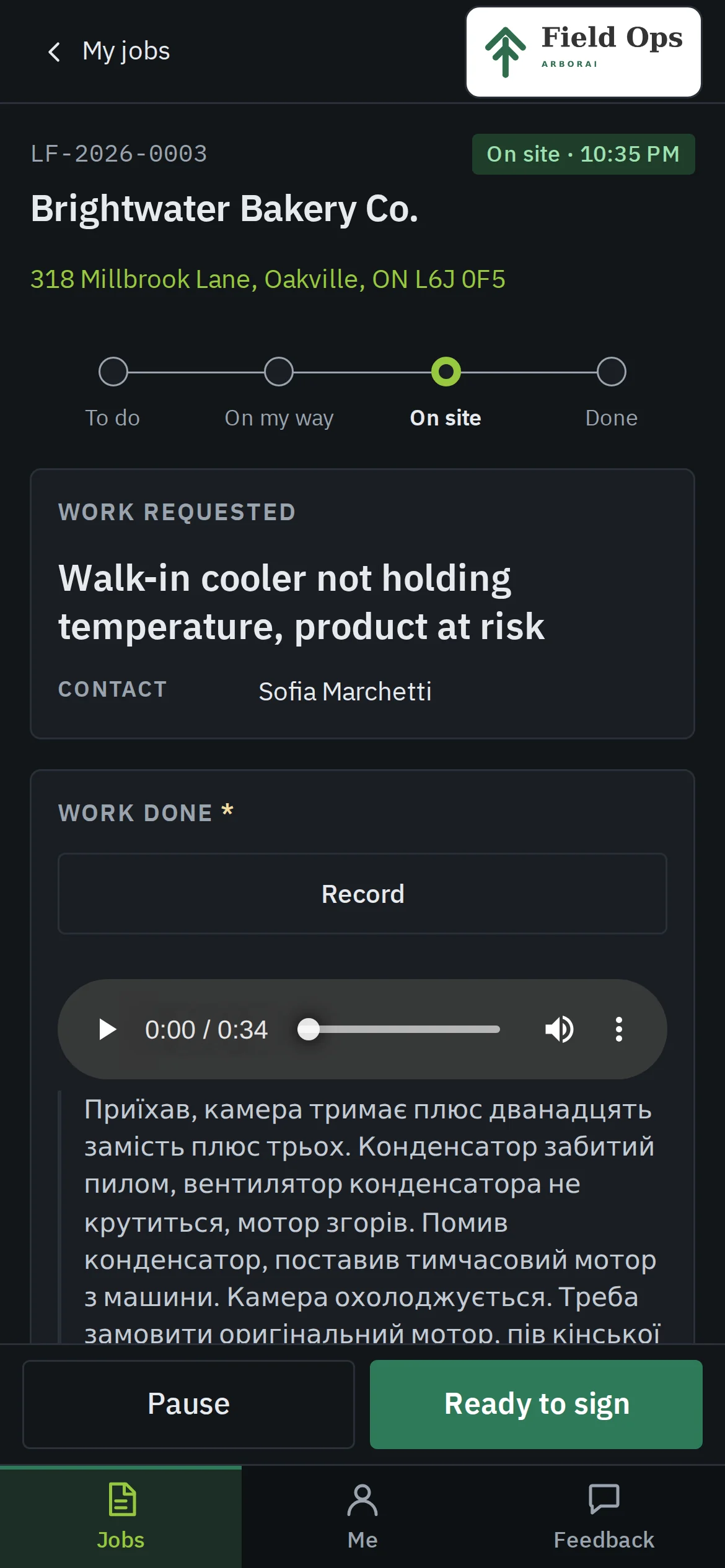
The tech clocks in, adds photos and parts, talks through the work and hands the phone over for a signature.
04
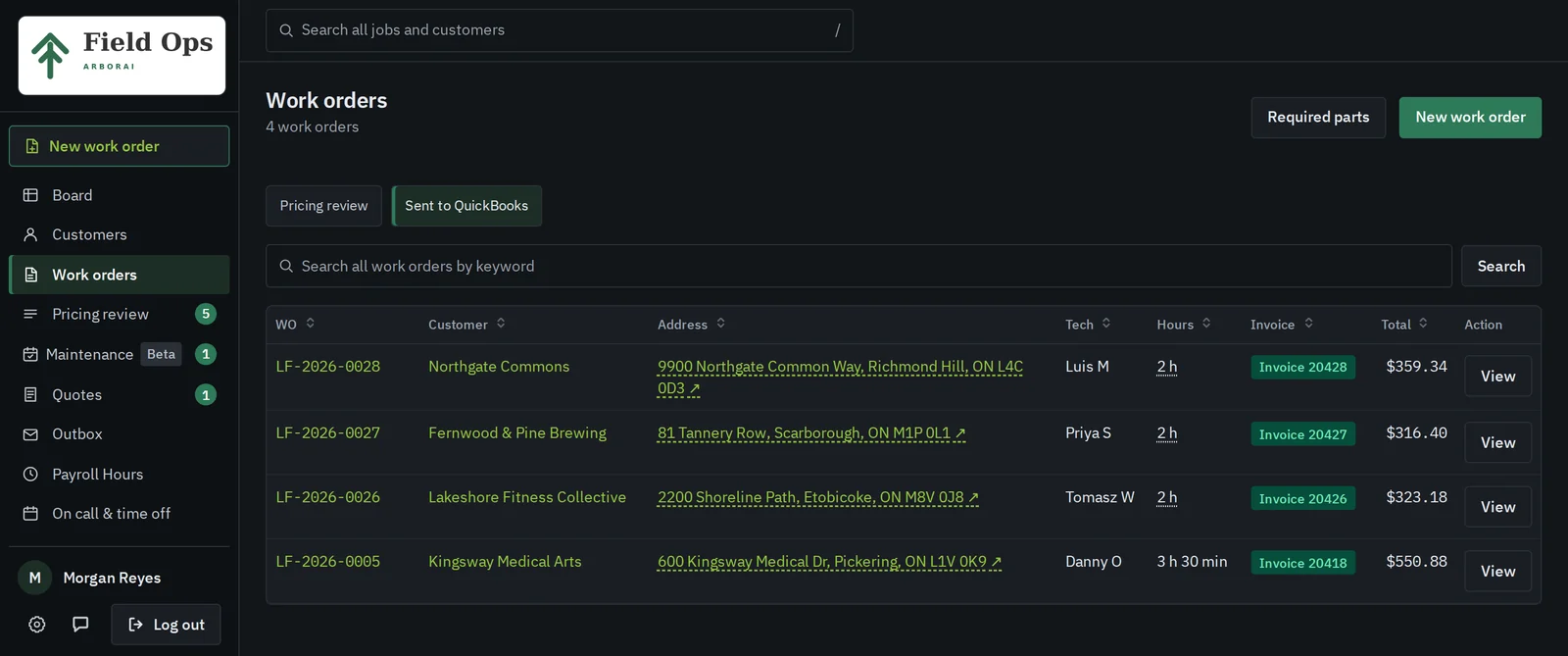
The office reviews hours and parts, then sends the invoice to QuickBooks Desktop with one click.
The clip runs 85 seconds with no sound. The office books and assigns a job, a tech records a note in Ukrainian and gets a signature, and then the office prices it.
The core
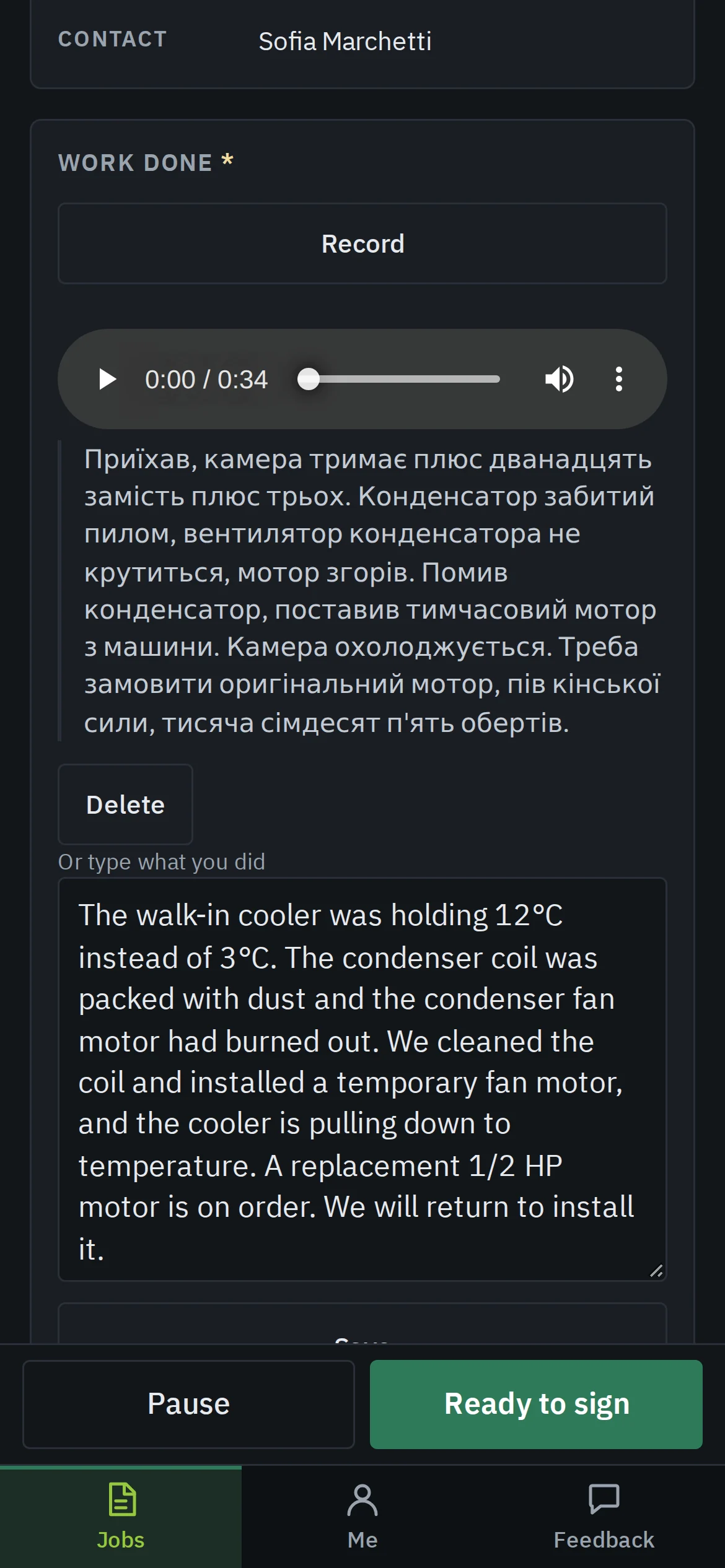
A tech records what they did in whatever language comes easiest. The app keeps the recording and the transcript, then writes the work description that prints on the customer's copy. The office gets its own note and can play the recording back.
In the phone screen here, the tech spoke Ukrainian.
Every job and every tech for the week sits on one screen, colour-coded by tech. Move a job to another day or another tech, and print a day sheet when paper is easier.
Today's jobs, navigation, clock in and out, photos, parts and the customer's signature. It installs to the home screen, and techs never see a dollar figure.
Each site keeps its past visits, its photos and every unit with make, model, serial and filter size, and techs open all of it straight from the job.
When the tech finishes, the customer gets a PDF with your letterhead and their signature. Prices and internal notes stay off it.
Payroll hours come from the techs' own clock-ins, with overtime split out and the Ontario holiday calendar built in.
With the tech's consent, clock-in and clock-out record where the phone was. The office sees a flag when that spot is far from the site.
Office control
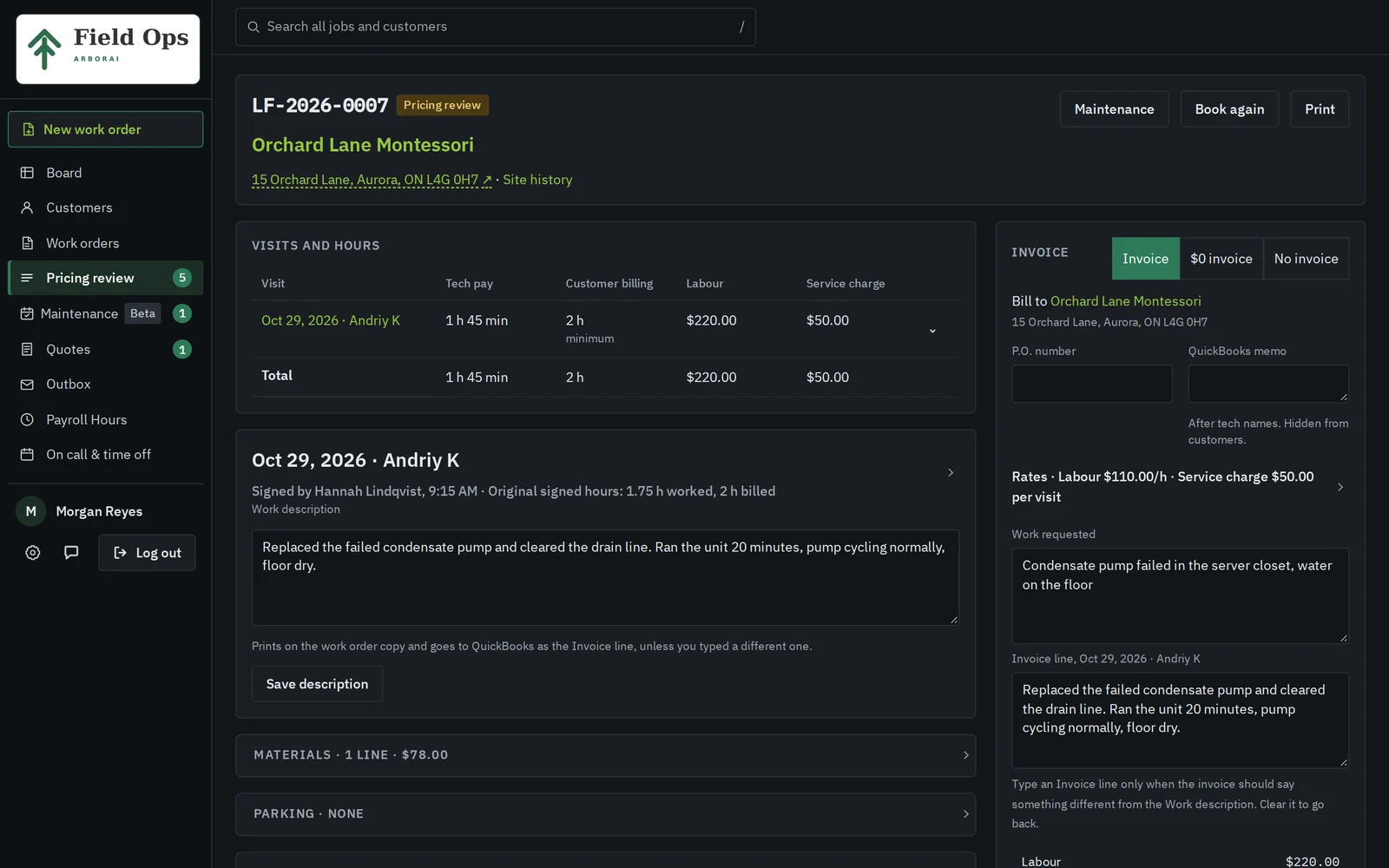
Every finished job lands in pricing review. The office sees worked and billed hours, parts, parking and the tech's description, then marks it for an invoice, makes it no-charge or corrects a line.
The invoice goes to QuickBooks Desktop through the Web Connector. If the open company file is the wrong one, the app refuses to write to it.
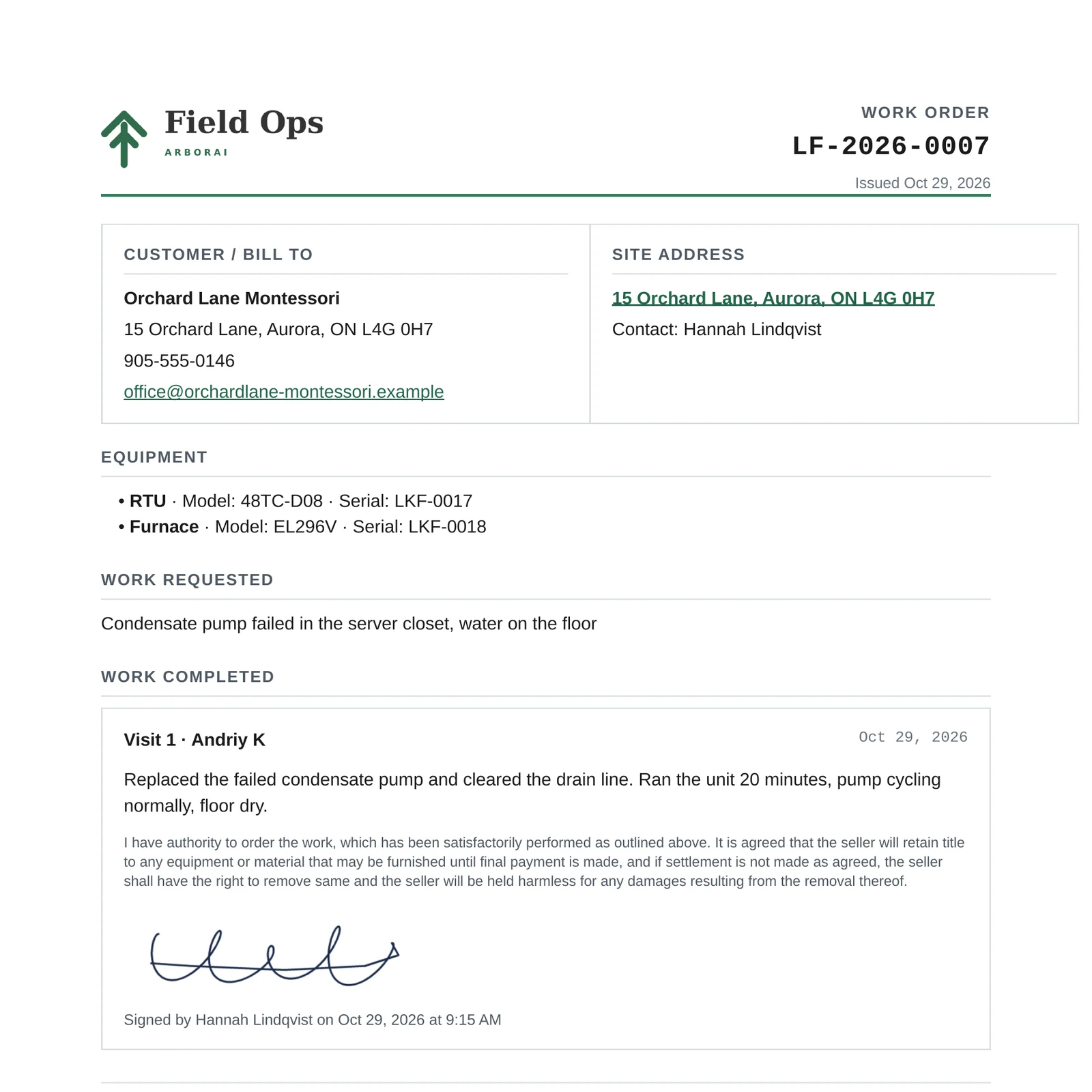
It carries your logo, the site, the units serviced, what was done and who signed. The email goes out the moment the tech taps Save signature.
Coming soon
They join Field Ops at no extra cost when they ship. The screens below are design previews of the planned modules, so details can change before release.
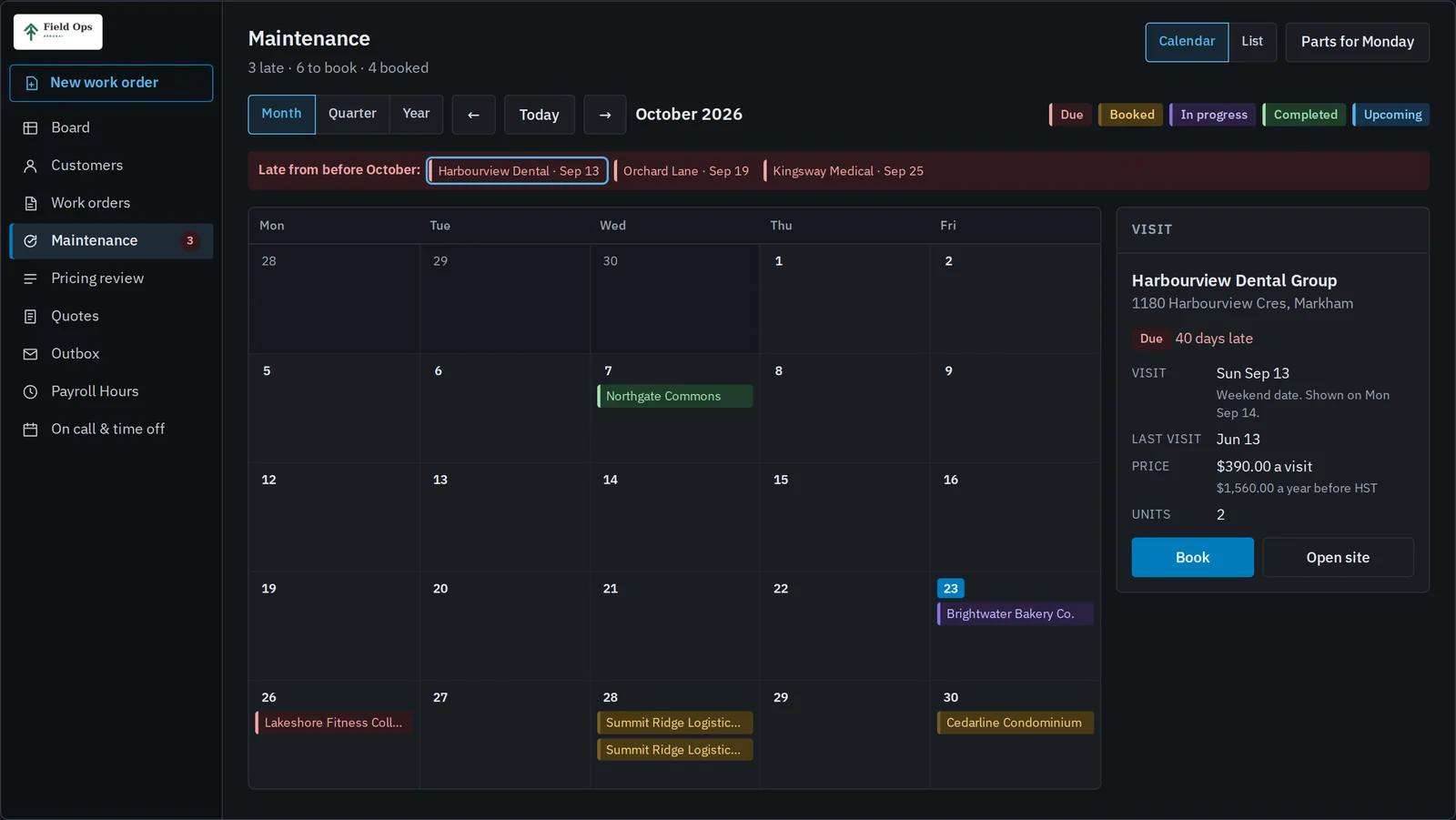
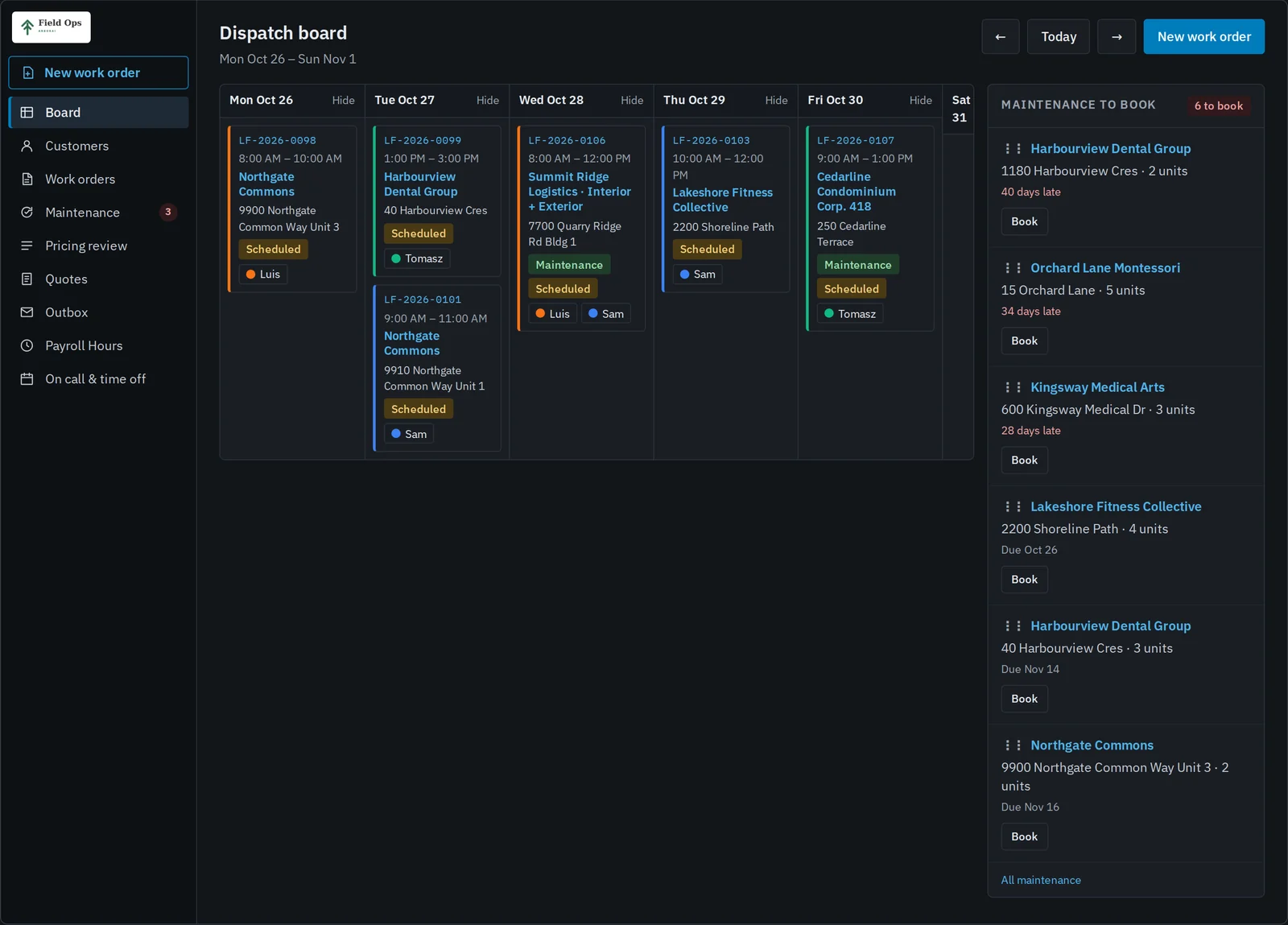
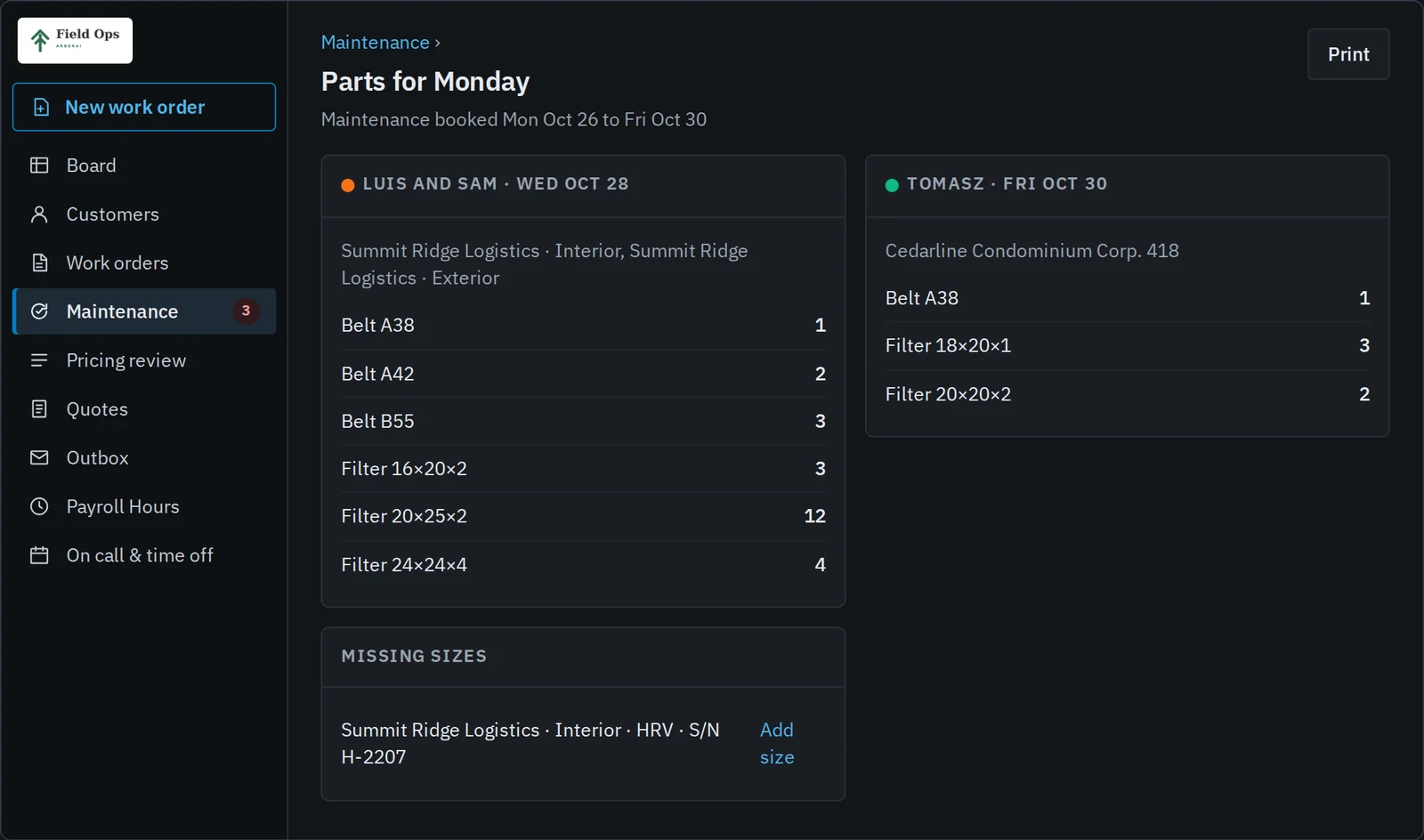
Maintenance agreements, booked from a calendar or straight onto the dispatch board, with each week's filters and belts listed per tech.
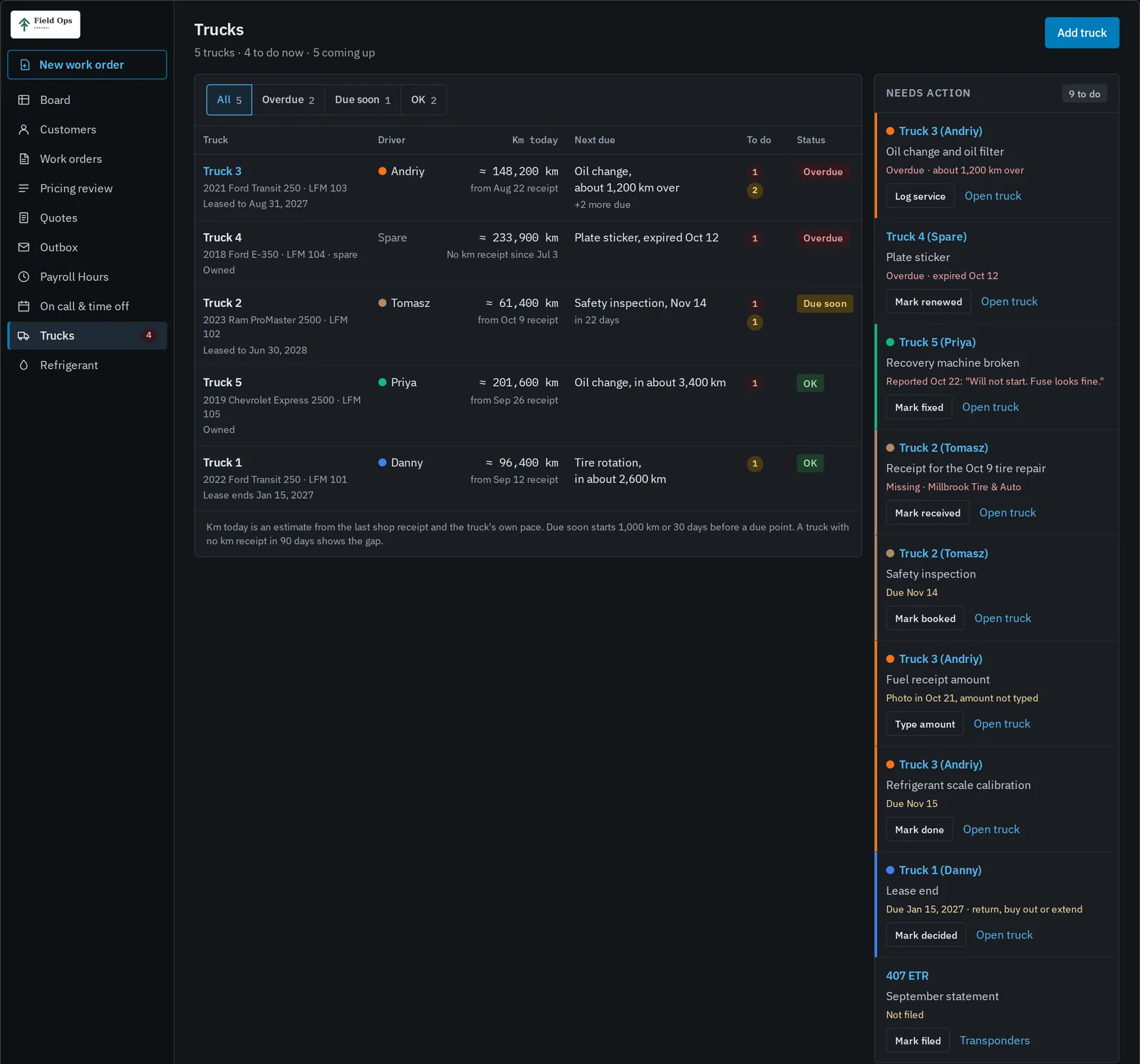
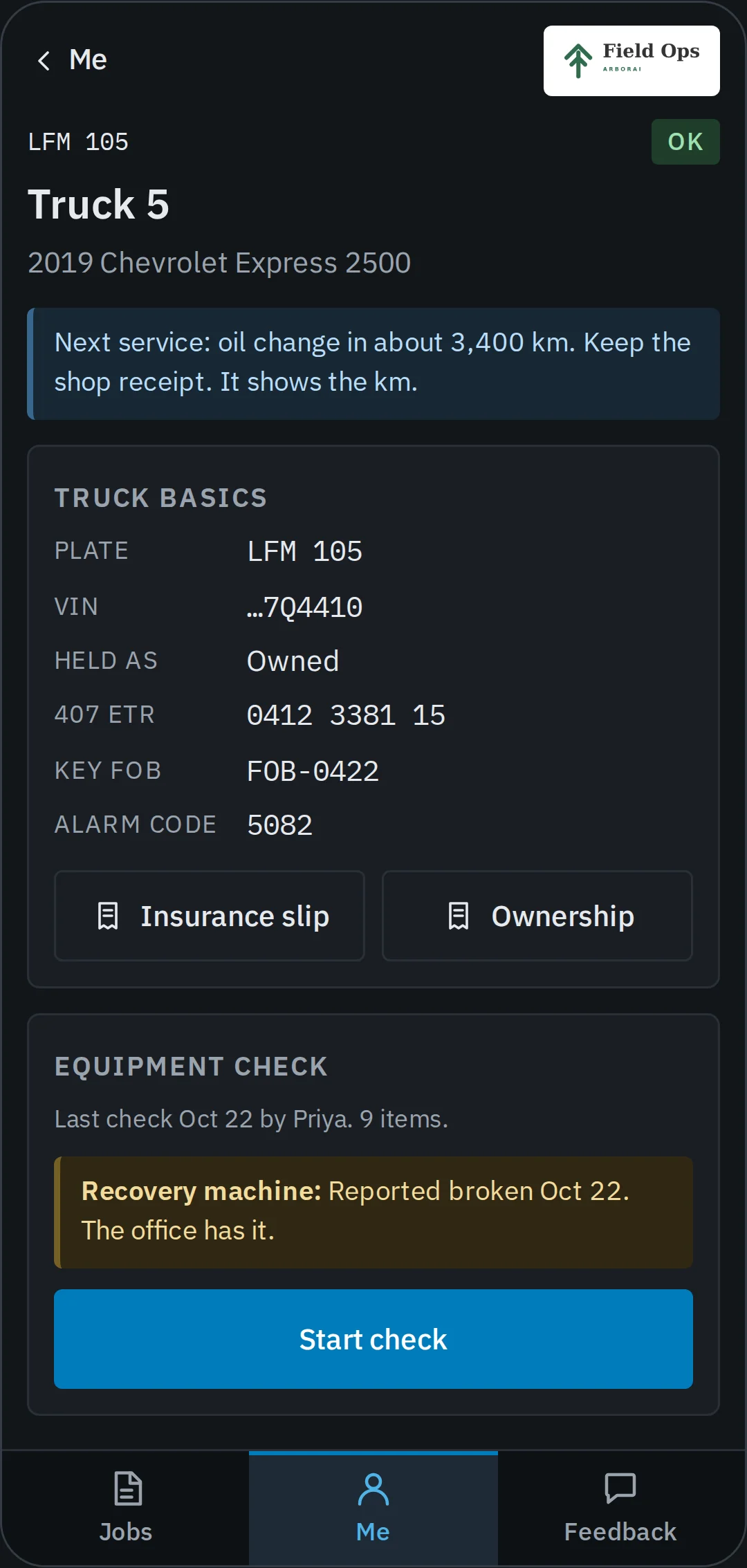
Every truck's service, renewals and receipts in one list of what needs doing, and the truck's basics on the tech's phone.
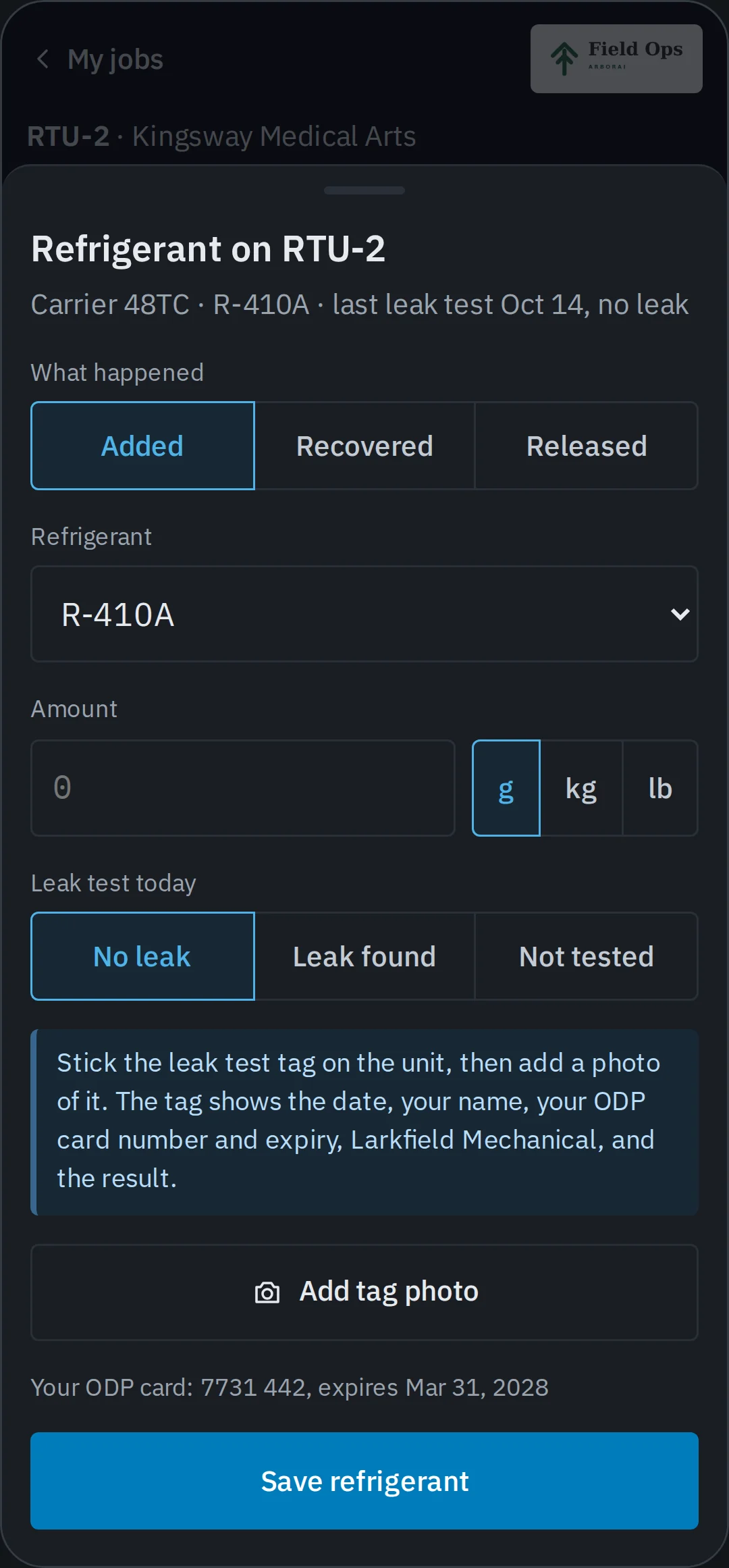
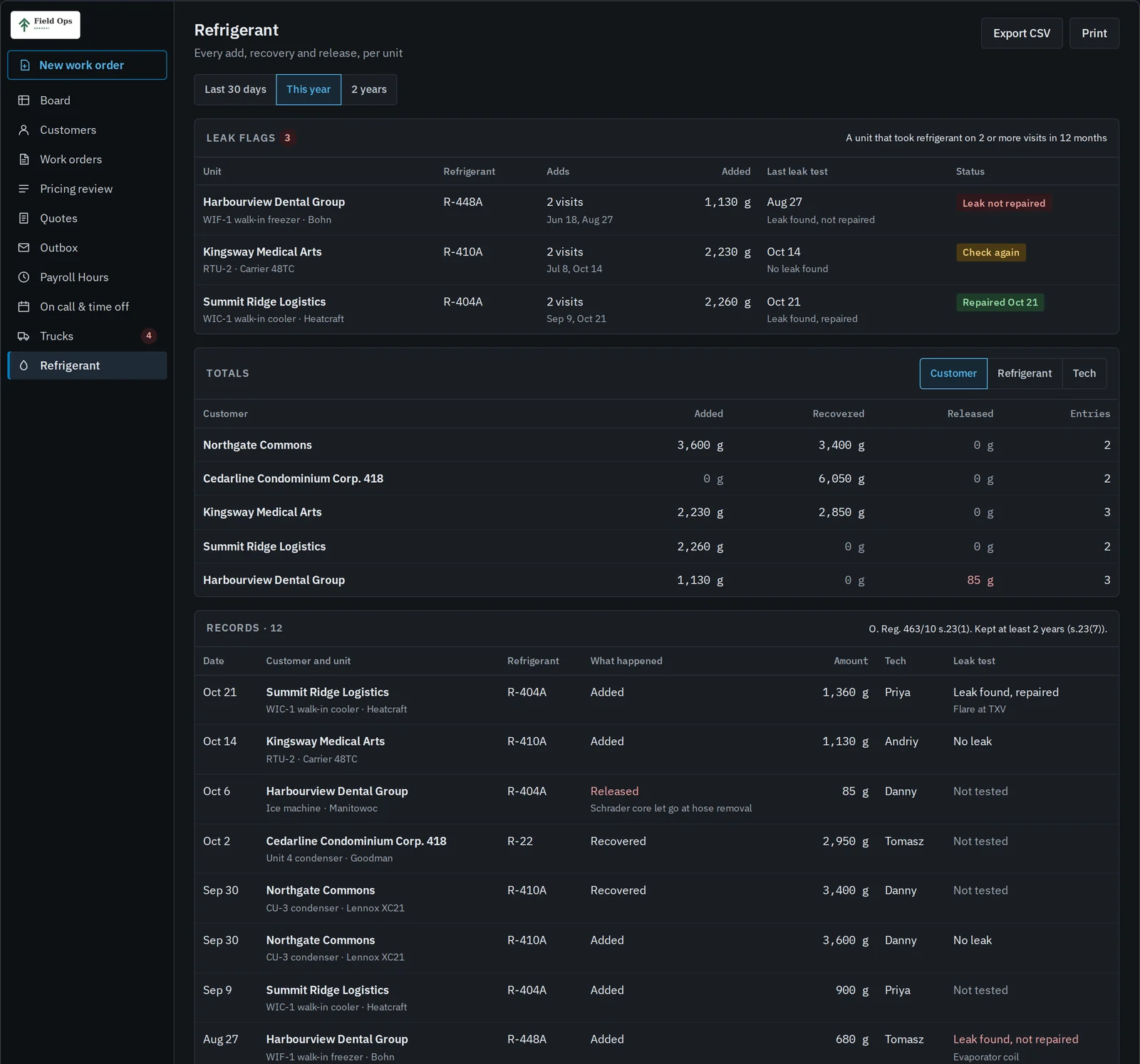
Techs log refrigerant on the unit they worked on, and the office gets a report ready for an inspector.
Industry packs
Compared with the big platforms
ServiceTitan and Housecall Pro ask your shop to work their way, and the bill grows with every user you add. Field Ops starts from a working core and bends to the paperwork you already use.
At 10 users on monthly billing, Jobber Grow lists $399 USD a month, and Housecall Pro MAX comes to $399 USD ($329 for 8 users plus 2 at $35). Field Ops is $399 CAD for the whole shop.
See Field Ops next to ServiceTitan, Housecall Pro, Jobber, FieldEdge and Service FusionAdd a tech or an office login and your bill stays the same.
We map your work order, rates and minimums during onboarding.
Invoices land in your own QuickBooks Desktop file and take its invoice numbers.
Leave whenever you like, and we hand you your customers, sites, equipment and job history.
Pricing
$399 CAD a month
It covers hosting, updates and support for every login in your shop. Onboarding costs nothing. We map your forms, price book and QuickBooks items, import your customers and sites, and train the office and the techs.
Bring a work order you used last week. In twenty minutes we'll show you how it would run in Field Ops.
Book a 20-minute demoScreens show Larkfield Mechanical, a fictional demo shop. Its names, addresses and job photos are placeholders.