Field Ops and QuickBooks
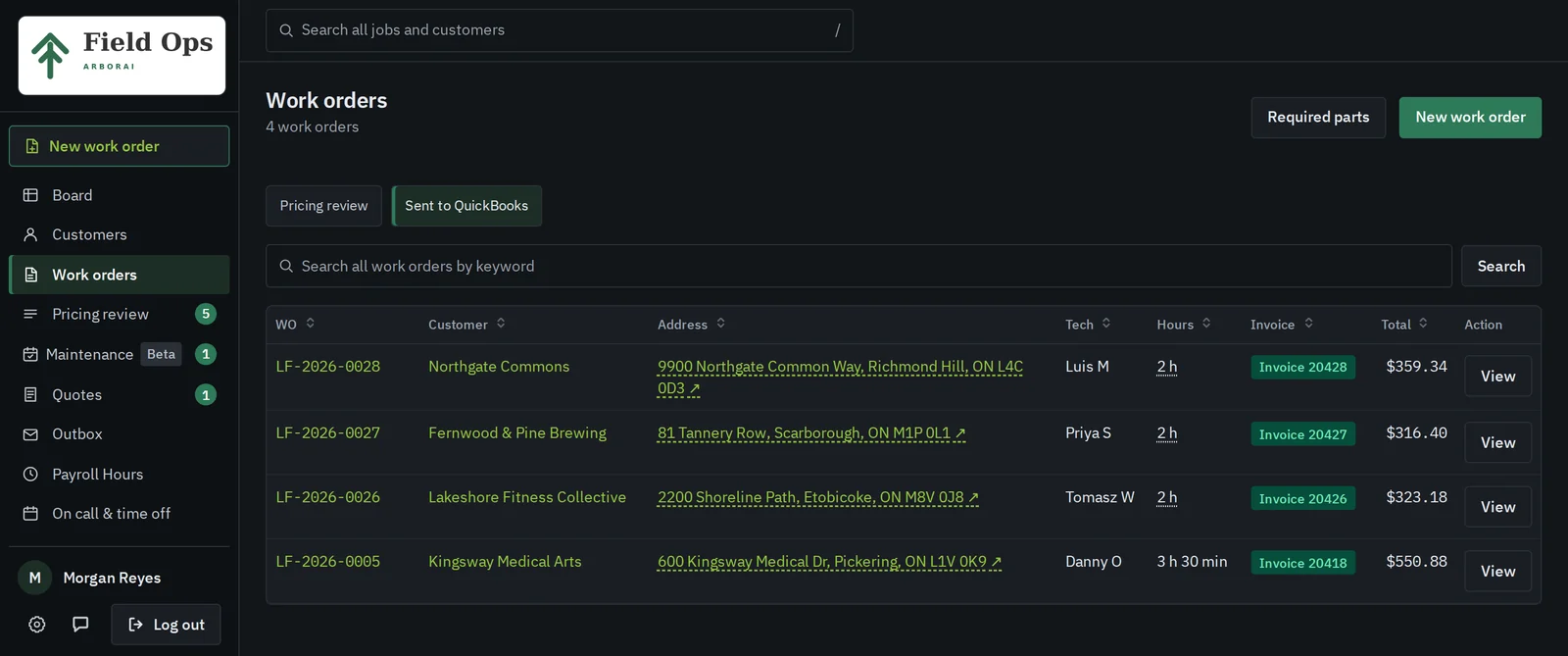
Approved jobs land in QuickBooks Desktop as invoices.
Your bookkeeper keeps working in QuickBooks Desktop. Field Ops sends each invoice after the office checks the price, with your items and your invoice numbers, so nobody types a job twice.
What syncs, and which way
| Record | Direction | When |
|---|---|---|
| Invoices | Field Ops to QuickBooks | When the office approves a job in pricing review and clicks send |
| Customers | QuickBooks to Field Ops | On the first connection, then refreshed every day |
| Invoice balance and paid status | QuickBooks to Field Ops | Read back so the office sees what's still owing |
| Items and tax code | Checked, never changed | Every day, before anything is sent |
We set up the connection for you
01
We install the Web Connector
During onboarding we set up Intuit's Web Connector, the piece QuickBooks Desktop uses to talk to outside apps, on the office PC that runs your company file.
02
We map your items
Labour, overtime, travel, parking and materials each point at an item you already use in QuickBooks. Your invoices keep your item names and your numbering.
03
Your customers come across
Field Ops reads your QuickBooks customer list on the first connection. The office never types a customer twice.
04
Writes stay off until you're ready
The connection starts read-only. We switch on invoice sending after you've checked a test invoice in your own file.
The office signs off first
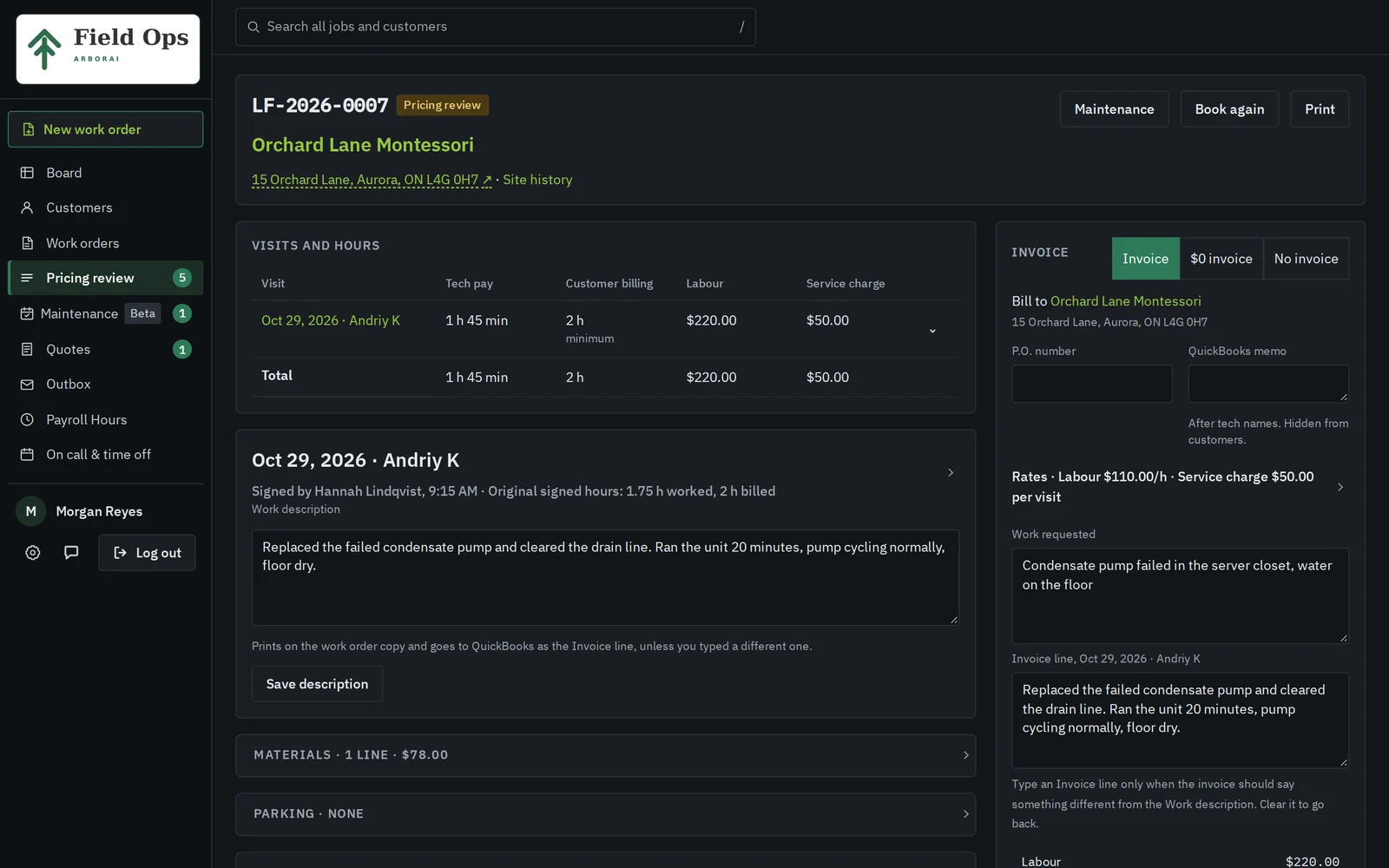
A finished job stops at pricing review before it can reach QuickBooks. The office sees the hours each tech worked and billed, the parts and the parking, and can mark a job no-charge or fix a line. Hours, overtime and tax come out to the cent every time.
QuickBooks questions
Watch an invoice go across
In the demo, we price a job and send it to a QuickBooks queue while you watch.
Book a 20-minute demo